
TapTunely Add-On Mini Disc Pack - 9 Extra Magnetic Discs Onlys
TapTunely Add-On Mini Disc Pack - 9 Extra Magnetic Discs Onlys
- 🎵 Expand Your Music Box
Add 9 extra mini discs to your TapTunely Music Memory Box and turn your collection from 9 songs into 18 songs. - 💿 Discs Only, Music Box Not Included
This pack includes 9 magnetic mini discs only. It is made for customers who already own a TapTunely Music Memory Box. - 💻 Easy MP3 Setup
Connect your music box to a computer, create folders numbered 10 to 18, then drag one MP3 song into each matching folder.
Couldn't load pickup availability
No extra fees at checkout
Ships in 1-3 working days
PayPal & card accepted
Money-back if you're not satisfied
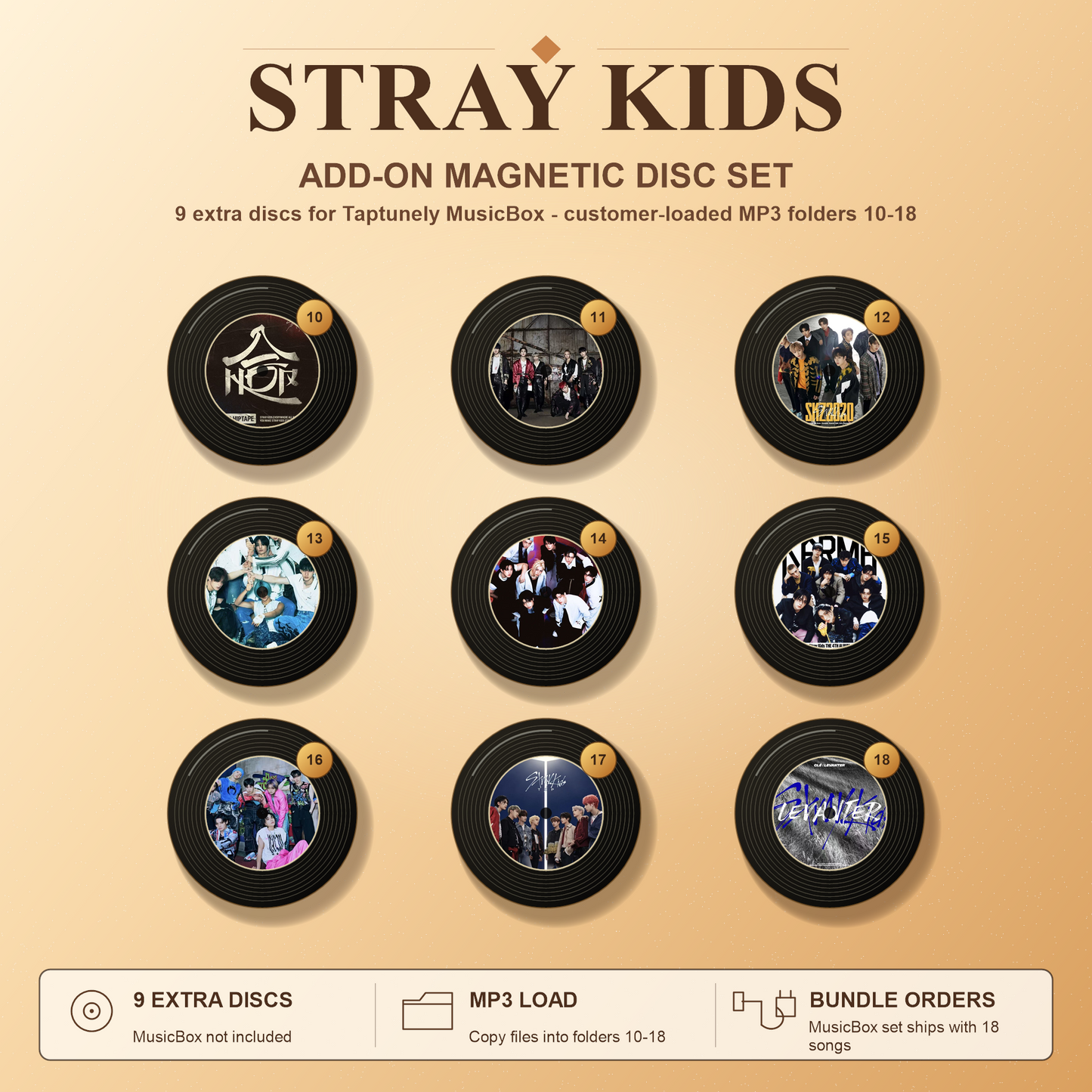
 TapTunely Add-On Mini Disc Pack - 9 Extra Magnetic Discs Onlys
How it works?
-
Step 1: Choose Your Design 🎨
Pick your favorite singer or disc design.
-
Step 2: Buy With a Music Box 💿
Buy it with a TapTunely Music Box and you’ll get 18 discs total. We’ll preload all songs for you.
-
Step 3: Bought Separately? Add Songs Yourself 🎵
Connect your music box to a computer, create folders 10–18, and copy one MP3 song into each folder.
-
Step 4: Enjoy More Songs ✨
Place a disc into the music box and play up to 18 songs.
FAQs
What is included in this product?
This product includes 9 extra magnetic mini discs only. The TapTunely Music Memory Box is not included.
Do I need to already own a TapTunely Music Memory Box?
Yes. This add-on pack is designed for customers who already have a TapTunely Music Memory Box.
Can these discs play music by themselves?
No. The discs need to be used with the TapTunely Music Memory Box.
Can you preload songs if I buy this pack separately?
No. If the 9-disc add-on pack is purchased separately, we cannot preload songs before shipping. You will need to add your own MP3 files after receiving the discs.
How do I add songs to the new discs?
Connect your music box to a laptop or desktop computer with a USB-C cable. Open the music box drive, create folders numbered 10 to 18, then place one MP3 song into each matching folder.
How many songs can I add?
You can add 9 extra songs with this pack. Each disc matches 1 song.
What happens if I buy this together with a music box?
If you purchase the music box and this 9-disc add-on pack together, we will prepare 18 songs in total for your order.
Which audio format should I use?
We recommend MP3 format. Other formats such as WAV, FLAC, or M4A may not be recognized.
Can I change the songs later?
Yes. You can reconnect the music box to your computer, delete the old MP3 file from the matching folder, and add a new MP3 file anytime.
How do I know which disc matches which folder?
Each disc corresponds to a numbered folder. For this add-on pack, the folders should be numbered 10 to 18.
Can I upload songs using my phone?
We recommend using a laptop or desktop computer for the most stable setup.
Does this product include custom photos or singer designs?
The disc designs depend on the option you choose. Please select the singer or design set you want before checkout.